
Drawquarium Demo: What It Includes in 2026
What the free Drawquarium demo includes, how it differs from the full game, and whether your demo drawings and fish carry over on November 13.
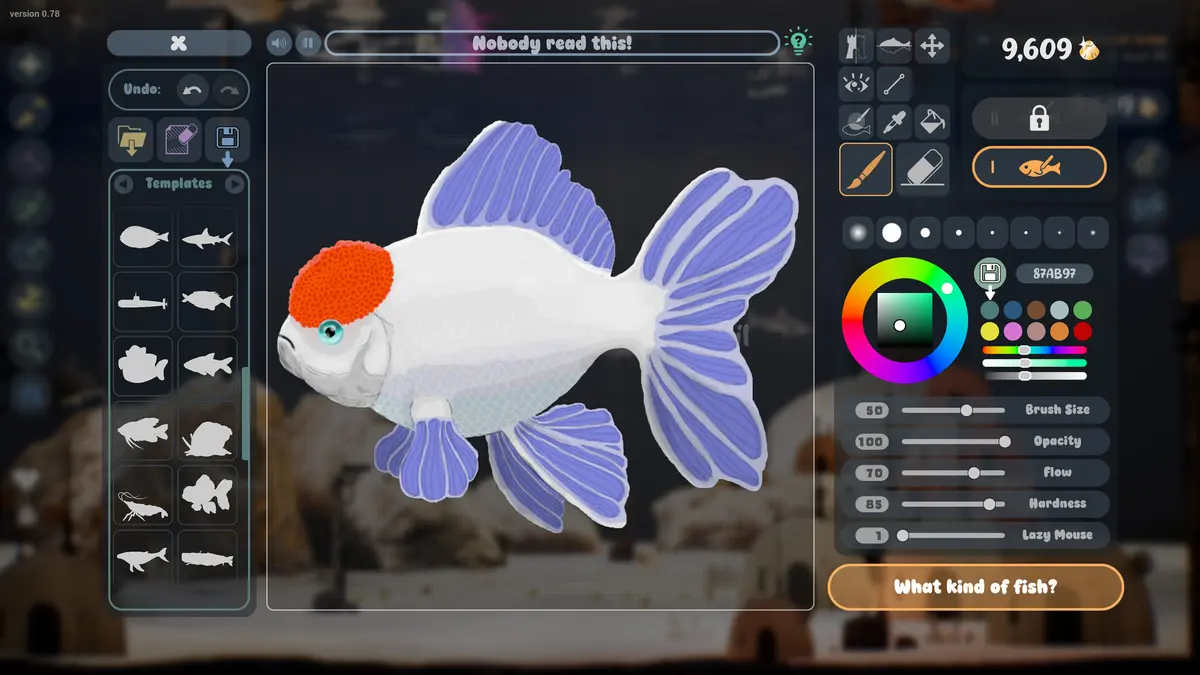
The Drawquarium demo is a free, separate Steam app that went live in April 2026. It is not a timed trial and it is not a cut-down tutorial: it includes the drawing editor, the aquarium, fish care, and a set of systems that were later expanded for release. If you are deciding whether the full game is for you, the demo is the honest answer. This page covers what is in it, what changed afterward, and what to expect on launch day.
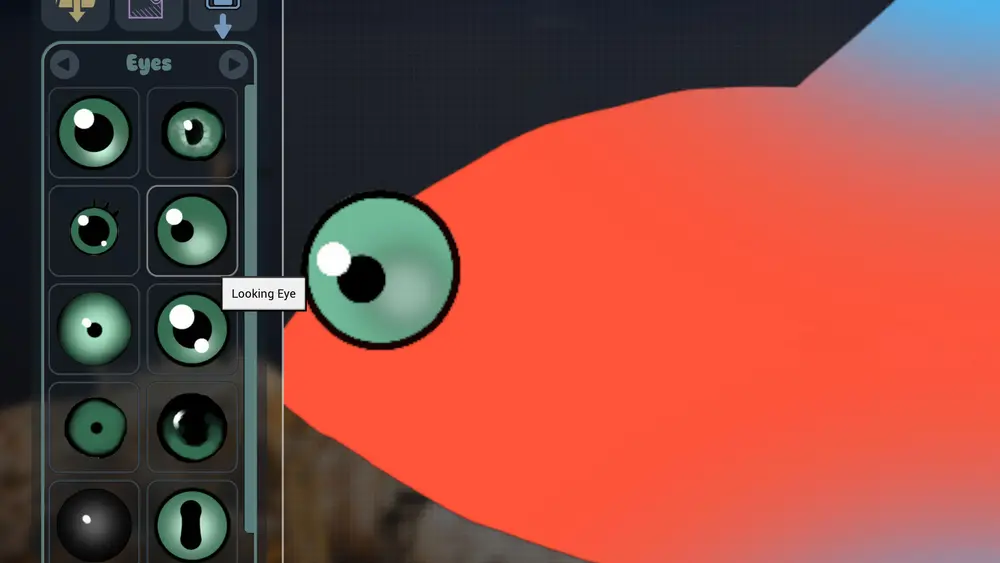
Practice the tools in the drawing guide→ before the demo ends.
Demo facts
- App: Drawquarium Demo, a separate Steam app (appid 4331760).
- Released: April 18, 2026.
- Price: free.
- Size: about 573 MB.
- Platform: Windows, matching the full game.
- Content: drawing, fish care, decorations, golden scales, wallpaper mode foundations, and productivity tools.
The demo has its own store page and its own library entry. Installing it does not install the full game.
What you can do in the demo
The demo's feature list covers most of the core loop:
- Draw your own fish and your own food.
- Import your own images as fish or decorations.
- Keep bottom-feeding fish that eat leftover food.
- Create and save your own templates and categories.
- Clean leftover food and muck with the vacuum.
- Collect Golden Scales to unlock templates and brushes.
- Use weekly themes.
- Play with fish by blowing bubbles and tapping the glass.
- Keep a built-in to-do list.
That is a lot for a demo, and it is why the demo has been useful for players who want to test the drawing feel before buying.
What the demo does not represent
The demo is from May 2026. The September update lists twenty changes made after it, including:
- Breeding and baby fish growth.
- Fish reactions to food, bubbles, new fish, and the environment.
- Leftover food and debris that require vacuuming.
- More tank customization: rocks, driftwood, water level, sand, and colors.
- Lighting and caustics controls.
- Bioluminescent fish and plants.
- Disco Mode.
- A rebuilt drawing editor with zoom, a better fill bucket, texture stamps, shapes, eyes, fins, custom templates, and saved palettes.
- Re-editable fish and multiple animations, sizes, and behaviors.
- A global fish list with name search.
- An Idea Generator.
- More music and ambient sound mixing.
- Productivity tools: checklist, journal, timer, clock.
- Gameplay goals.
- A rebuilt wallpaper mode.
If you tried the demo in May and bounced off the editor, the release build is a different experience.
Does demo progress carry over?
Not documented. Valve demos sometimes share a save folder with the full game and sometimes do not; the store page and the announcements do not promise a transfer. Treat demo fish as practice.
If you want to be safe, keep your favorite drawings as exported images or recreate them after launch. The editor can import PNGs, so a screenshot or export is a backup even if the save does not transfer.
Is the demo still available?
The demo page was live at the time of writing. Demos can be delisted after launch, so check the Steam page before you plan around it. If it is gone, the full game is the only way to try the editor.
Demo vs full game: what to test
Use the demo to answer four questions:
- Does the drawing feel good with my input device? Mouse, trackpad, and drawing tablet behave differently.
- Do I enjoy fish care or only fish drawing? The loop is both.
- Does wallpaper mode work on my PC? Test it before launch, because it is the most system-dependent feature.
- Is the tank big enough for the fish I want to draw? The demo shows the scale.
If the answer to the first two is yes, the full game is likely a good purchase. If only the drawing appeals, wait for reviews that focus on the editor.
Test wallpaper mode in the demo for at least an hour before launch. It is the feature most likely to disappoint on a laptop, and the demo is the cheapest way to find out.
Official source: Drawquarium Demo on Steam ↗ and the demo announcement ↗, rokaplay ↗ and the Drawquarium Discord ↗
FAQ
Is the Drawquarium demo free?
Yes. It is a free separate app on Steam.
How big is the demo?
About 573 MB.
Does the demo include wallpaper mode?
The demo includes the foundations of wallpaper mode, but the mode was rebuilt for release. Expect the full game to behave better.
Will the demo be removed after release?
Not confirmed. Demos are sometimes delisted after launch, so check the store page.
More Drawquarium Guides
A Drawquarium fish list built from official screenshots and patch notes: body templates, bottom feeders, jellyfish, sharks, and golden fish.
Use Drawquarium as a focus companion: the clock, timer, journal, checklist, and wallpaper mode, plus a simple work session setup.
How the Drawquarium food editor works, which shapes to draw, how portion size affects leftovers, and why bottom feeders still need the vacuum.
A practical Drawquarium guide for the first hour: draw a fish that reads well, feed it, finish early goals, and unlock your first upgrades.
Where Drawquarium runs: Windows PC requirements, Mac and Linux answers, Steam Deck compatibility, mobile, and console availability.
Drawquarium's price has not been announced. What is confirmed, how regional pricing works, whether it is free, and how to avoid overpaying.
Drawquarium launches on November 13, 2026 for Windows on Steam. What is confirmed about the release, the trailer, wishlists, and launch day.
How the Drawquarium template grid works: fish, eyes, fins, and food categories, Golden Scale unlocks, custom templates, and saved palettes.