
Drawquarium Wallpaper Mode Not Working: Fixes
Fix Drawquarium wallpaper mode when the desktop stays black, the tray icon disappears, audio cuts out, or the tank stutters on Windows.
Wallpaper mode is the most system-dependent feature in Drawquarium. It renders a live 3D scene behind your desktop, so it depends on the GPU, the driver, the display resolution, and whatever else is already managing your wallpaper. When it fails, the symptom is usually one of four things: nothing happens, the desktop goes black, the tank appears but the tray icon is missing, or the audio keeps playing after you switch. This page walks through each case in order.
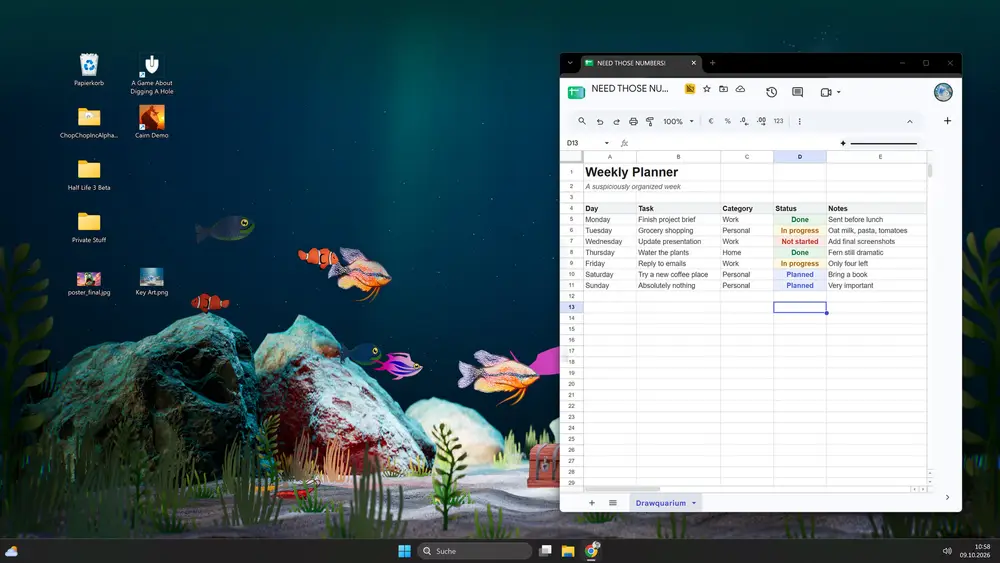
Once it runs, the wallpaper mode guide→ covers setup and composition.
First: confirm the mode is actually available
Wallpaper mode is a Windows feature of the game. It is not available on a platform the game does not support, and it is not a separate download. Check three things before you troubleshoot:
- You are running the game on Windows 10 64-bit or newer.
- The game is the full version or the demo, not a browser build.
- The wallpaper icon is visible on the right side of the tank screen, next to the gear and the eye.
If the icon is missing, you may be in a screen where the mode is unavailable, such as the editor. Return to the tank view.
Symptom: clicking the icon does nothing
The game may be switching modes without hiding the window. Press Alt+Tab and look for the game. If it is still there, click into it and try the icon again.
If the window disappears but the desktop does not change, the renderer may have failed to attach to the desktop. Close the game completely, relaunch it, and try again from the tank screen. A fresh launch fixes most one-off attachment failures.
Symptom: the desktop goes black
A black desktop usually means the wallpaper layer is rendering but the scene is not. Try these in order:
Wait ten seconds. The mode may still be loading the tank and shaders.
Return to the game and lower the graphics. The September update added automatic quality detection, but a manual lower setting can help on older GPUs. Turn down caustics, particles, and lighting first.
Check the resolution. The playtest notes mention ultrawide and unusual resolutions as active test areas. If you are on an ultrawide or a scaled display, try a standard 1920×1080 resolution and see whether the tank appears.
Update the GPU driver. The minimum is a GTX 1060 or RX 580 with DirectX 12. An old driver can fail to create the desktop surface even when the game itself runs.
Symptom: no tray icon
The tray icon is how you return to the game. If it is missing, check the hidden-icons overflow in the Windows taskbar; Windows 11 hides new tray icons by default. Drag the Drawquarium icon onto the visible tray so it stays.
If the icon is not in the overflow either, the game may have exited. Relaunch it. The tray icon only exists while the process is running.
Symptom: audio keeps playing or cuts out
The September update says audio behavior when switching modes was fixed, but audio is still device-dependent. Check the game's audio settings, then check the Windows output device. If you use a headset that switches profiles when a game launches, the mode switch can move audio to the wrong device.
Switch back to the game window, confirm sound, then enter wallpaper mode again. If the problem repeats, set the headset as the default device before launching the game.
Symptom: the wallpaper stutters
A live aquarium is a continuous render. On a laptop, the GPU may be sharing power with the CPU, and the wallpaper may stutter while the battery is draining. Plug in the laptop and set Windows to a performance power plan.
If the stutter continues, reduce the tank's visual load: fewer particles, lower caustics, a simpler background. A dark tank with one light source renders faster than a bright reef with dozens of plants.
Symptom: another wallpaper app fights it
Wallpaper Engine and similar tools take over the desktop wallpaper layer. If one is running, Drawquarium's mode may appear to do nothing because the other app immediately repaints the desktop. Pause or exit the other wallpaper manager before you enable Drawquarium's mode.
Symptom: the tank is cropped or stretched
Wallpaper mode renders the tank to your desktop resolution. A tank composed for a window may lose its focal point on a wide screen. Return to the game, rearrange the hardscape toward the center-right, and re-enter the mode.
If the image is stretched rather than cropped, check the Windows display scaling and the game's resolution setting. A mismatch between the two can distort the scene.
Do not force the game to close from Task Manager while wallpaper mode is active unless you have no other option. Use the tray menu's Return to Game first, then close normally, so the game can restore your desktop wallpaper.
Official source: Drawquarium store page ↗ and the September update ↗, rokaplay ↗ and the Drawquarium Discord ↗
When to report a bug
Report to the rokaplay Discord if the mode fails on a supported GPU after a clean relaunch, if the desktop stays black at 1920×1080, or if the tray icon never appears. Include your Windows version, GPU, driver version, resolution, and whether the demo or full game is running. The developer was actively recruiting playtesters for unusual resolutions in October, so specific reports are useful.
FAQ
Why does wallpaper mode show a black screen?
Usually a renderer or driver issue. Relaunch, lower the graphics, try a standard resolution, and update the GPU driver.
Where is the Return to Game button?
In the tray menu. Right-click the Drawquarium tray icon and choose Return to Game.
Does wallpaper mode work on a laptop?
It can, but expect battery drain and fan noise. Plug in and use a performance power plan for a smoother result.
Can I use it with Wallpaper Engine?
Not reliably at the same time. Two apps managing the desktop wallpaper layer will conflict. Pause one before enabling the other.
More Drawquarium Guides
How levels, days old, medals, metallic shimmer, and golden fish work in Drawquarium, and what the level 25 goal actually asks for.
A Drawquarium fish list built from official screenshots and patch notes: body templates, bottom feeders, jellyfish, sharks, and golden fish.
Use Drawquarium as a focus companion: the clock, timer, journal, checklist, and wallpaper mode, plus a simple work session setup.
How the Drawquarium food editor works, which shapes to draw, how portion size affects leftovers, and why bottom feeders still need the vacuum.
A practical Drawquarium guide for the first hour: draw a fish that reads well, feed it, finish early goals, and unlock your first upgrades.
Where Drawquarium runs: Windows PC requirements, Mac and Linux answers, Steam Deck compatibility, mobile, and console availability.
Drawquarium's price has not been announced. What is confirmed, how regional pricing works, whether it is free, and how to avoid overpaying.
Drawquarium launches on November 13, 2026 for Windows on Steam. What is confirmed about the release, the trailer, wishlists, and launch day.