
Drawquarium Guide: First Fish, First Unlocks, First Tank
A practical Drawquarium guide for the first hour: draw a fish that reads well, feed it, finish early goals, and unlock your first upgrades.
The fastest way into Drawquarium is to treat the first hour as three small jobs: draw one fish that is easy to read, keep it fed and the water clean, and finish the starter goals so Golden Scales start coming in. Do not spend your first scales on a random template. The game is generous with drawing freedom but stingy with early currency, and a little order saves an hour of tidying up later. This guide follows the flow the interface presents, from the empty tank to the first real customization choices.
If you have not launched yet, start with the how to play walkthrough→.
Step 1: Draw a fish that works at tank scale
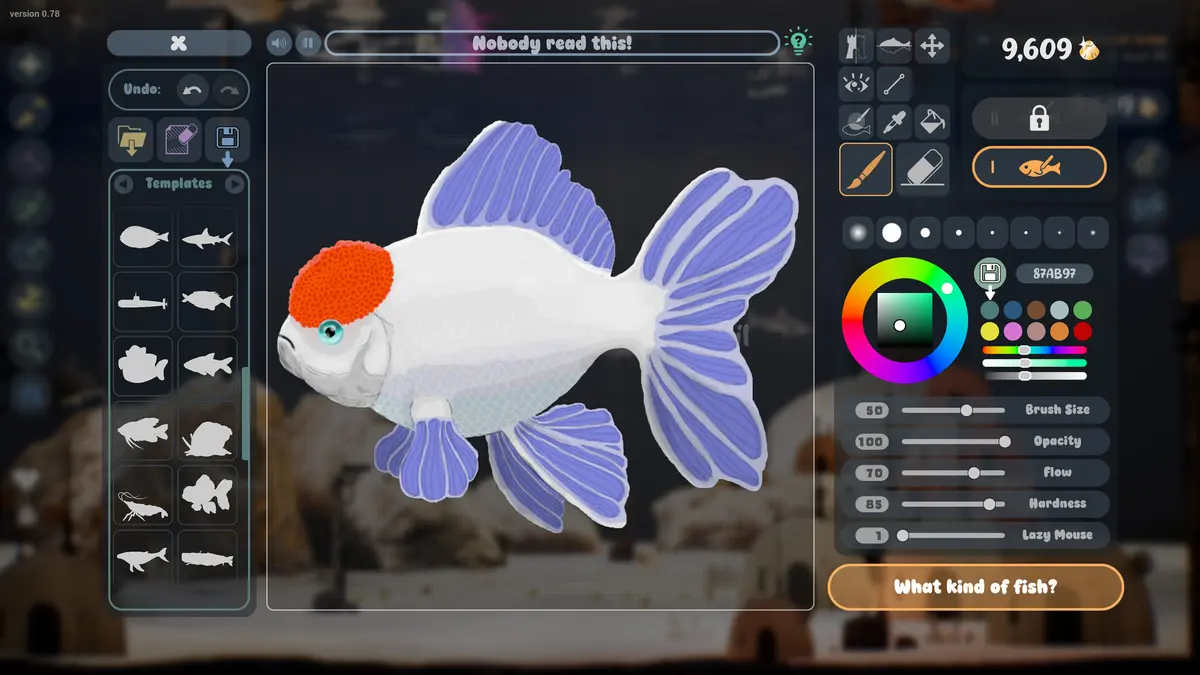
Open the editor and pick a template close to the shape you want instead of starting from a blank canvas. The template grid includes fish, jellyfish, sharks, and sailfish silhouettes, and using one gives you a body that already animates correctly. Keep the silhouette simple: a rounded body, one clear tail, and eyes large enough to read when the fish is swimming behind plants.
At the default brush settings shown in the official screenshots (size 50, opacity 100, flow 70, hardness 85), you can block in color quickly and then tighten the outline. Use the symmetry option for the body and fins, then break symmetry with one detail, such as a spot pattern or a mismatched eye, so the fish does not look stamped. Name the fish before you save; the name is what the fish list searches later.
A first fish does not need five colors and a texture pass. Large shapes survive the tank's lighting, caustics, and wallpaper scaling. Fine line work does not.
Step 2: Feed it and watch the hunger ring
The fish card shows a hunger ring, a level, an age in days, and a personal quote. Feed when the ring is low, not on a fixed schedule; there is no published feeding interval, and the game does not punish you for checking the card. Food is drawn in its own editor, and the demo page confirms fish eat what you draw.
Feed small portions. Every piece that is not eaten stays in the tank, and the September update made leftover food and debris persistent until you clean them. A single oversized meal creates more cleanup than three small ones.
Do not use the wallpaper mode as your main play session on day one. Learn the interface in a window first, because the HUD hides in wallpaper mode and misclicks are harder to undo.
Step 3: Finish the starter goals
The goals panel in the official screenshots lists tasks such as choosing a background image, feeding two fish to level 25, and making a fish happy. Those are examples from a developed save, not a fixed tutorial, but they show the shape of early progression: one setup task, one care task, one emotional task.
Work through whatever your own list shows before you buy cosmetics. Goals are the reliable source of early Golden Scales, and the scale counter is visible in the top right of the tank screen. Scales also appear as floating pickups in the water; click them when you see the glint.
Step 4: Spend the first Golden Scales carefully
Template unlocks are cheap at the start. The unlock popup in the official gallery shows a price of 2 Golden Scales for a fish template, with a current balance of 8. That suggests you can afford a couple of experiments early, but not the whole catalog.
Spend in this order:
- A second body type you actually want to draw, such as a jellyfish or a shark, so your tank has visual variety.
- A brush or fill upgrade if the editor feels slow. The September post says the editor was rebuilt and the fill bucket improved, so check what you already have before buying.
- A tank customization such as sand, rocks, or driftwood. These change every screenshot you take and every wallpaper session, which makes them better value than a single fish template.
Hold the rest. You will want scales for plants, backgrounds, and a second tank once the goals start asking you to move fish around.
Step 5: Set up the tank before you decorate the fish
The decor panel exposes water level, speed, and strength, sand smoothness, contrast, and grain size, driftwood variants, and rock variants. Each group has its own palette. Change one layer at a time and look at the result from the wallpaper camera, not just from the editor camera; the tank reads differently when it fills a 1920×1080 desktop.
A clean layout beats a busy one. One large piece of driftwood, a rock cluster on one side, and open sand in the middle gives fish room to cross the frame. The official screenshots use that composition repeatedly.
Step 6: Set the wallpaper mode once the tank looks right
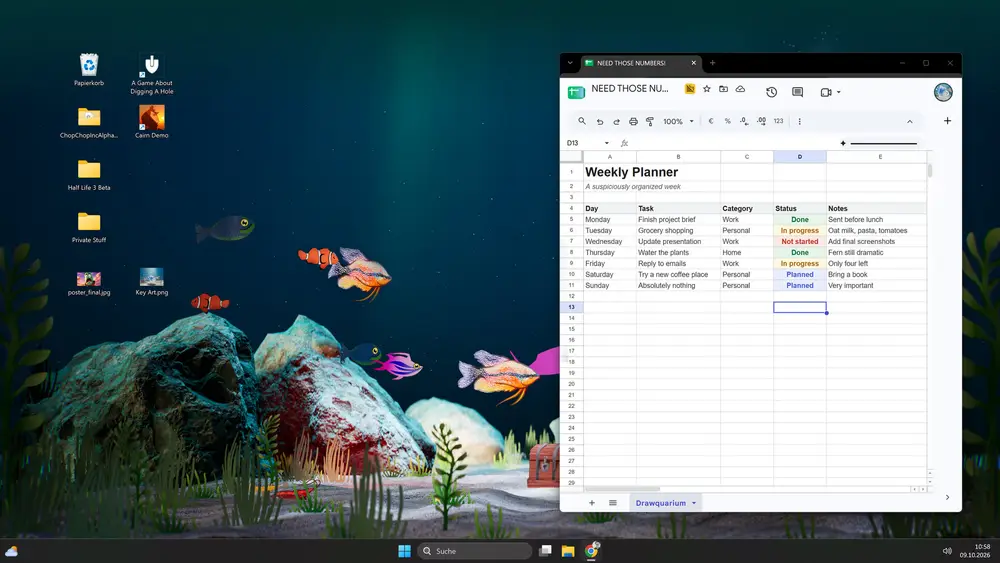
Wallpaper mode turns the aquarium into the Windows desktop background. The game minimizes to the tray, desktop icons stay usable, and the tray menu has Return to Game. Switch to it after you have a background image and a layout you like, not before, because the mode is for watching rather than building.
If the mode fails to appear, the tray icon is the first thing to check. The troubleshooting guide covers the rest.
Rename every fish as you make it. The fish list is searchable by name, and "Fish 4" becomes useless once you have two tanks and a breeding project.
Official source: Drawquarium store page ↗ and the September update post ↗, rokaplay ↗ and the Drawquarium Discord ↗
What "done" looks like after the first hour
You should have one named fish at level 1 or higher, a clean tank with no leftover food, at least one goal completed, a small reserve of Golden Scales, and a wallpaper mode you can enter and leave without hunting for the window. If you have those, the rest of the game is expansion rather than repair.
Do not rush breeding, disco mode, or custom backgrounds. They are all systems that reward a stable tank, and the game does not run on a timer that punishes you for waiting.
FAQ
How many fish should I draw at the start?
One or two. Each fish adds feeding and cleaning work, and the early goals are easier to finish with a small tank. Add more once your routine is stable.
Should I buy the biggest tank first?
There is no published tank list or price sheet. The goals in the official screenshots include moving a fish to a new aquarium, which implies tank expansion is part of normal progression rather than a day-one purchase.
Can I edit a fish after I save it?
Yes. The September update explicitly lists re-editing saved fish, along with different animations, sizes, and behaviors. You do not have to restart a fish to fix a fin.
Does the demo progress carry into the full game?
Not confirmed. The demo is a separate app, and the developer has not published a save-transfer statement. Treat demo progress as disposable.
More Drawquarium Guides
How levels, days old, medals, metallic shimmer, and golden fish work in Drawquarium, and what the level 25 goal actually asks for.
A Drawquarium fish list built from official screenshots and patch notes: body templates, bottom feeders, jellyfish, sharks, and golden fish.
Use Drawquarium as a focus companion: the clock, timer, journal, checklist, and wallpaper mode, plus a simple work session setup.
How the Drawquarium food editor works, which shapes to draw, how portion size affects leftovers, and why bottom feeders still need the vacuum.
Where Drawquarium runs: Windows PC requirements, Mac and Linux answers, Steam Deck compatibility, mobile, and console availability.
Drawquarium's price has not been announced. What is confirmed, how regional pricing works, whether it is free, and how to avoid overpaying.
Drawquarium launches on November 13, 2026 for Windows on Steam. What is confirmed about the release, the trailer, wishlists, and launch day.
How the Drawquarium template grid works: fish, eyes, fins, and food categories, Golden Scale unlocks, custom templates, and saved palettes.