
Drawquarium Tips and Tricks for a Better First Tank
Drawquarium tips that save time in week one: simpler fish, smaller meals, earlier cleaning, smarter scale spending, and a calmer wallpaper setup.
Most Drawquarium problems in the first week are self-inflicted: fish drawn too small to see, meals too large to clean, scales spent on templates that never get used, and a wallpaper mode switched on before the tank looks good. These tips are ordered by how much time they save. None of them require a specific build, and none of them depend on numbers the developer has not published.
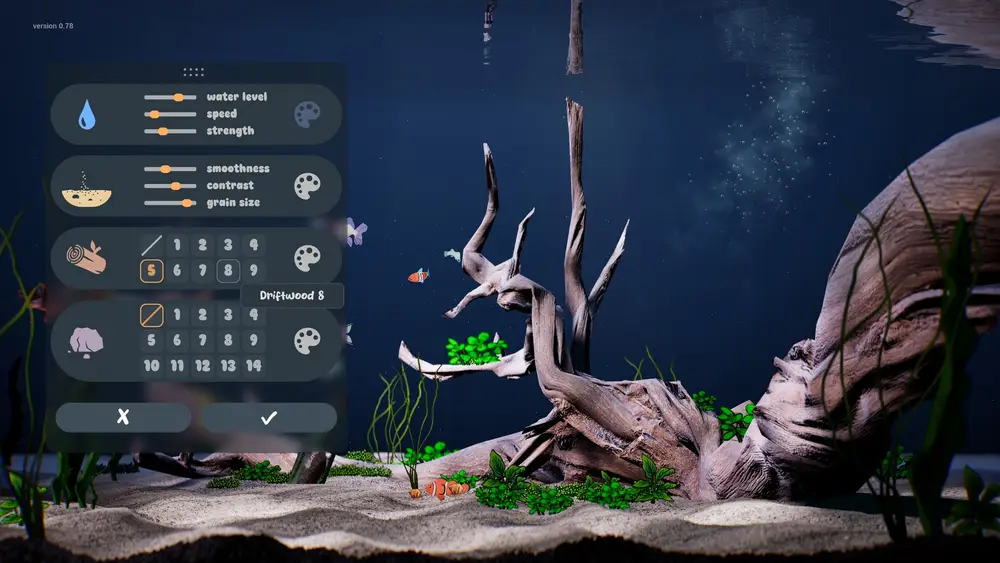
The common mistakes list→ explains the failures these habits prevent.
1. Draw for the tank camera, not the editor canvas
The editor lets you zoom in and paint fine details that the tank camera will never show. Fish are viewed at a distance, often behind plants, and the wallpaper mode stretches the scene across a monitor. Block in the body with large shapes, use one strong color, and add a single recognizable feature: a stripe, a spot cluster, a funny eye. That feature is what makes the fish identifiable when it swims past.
2. Use symmetry for the body, then break it once
Mirror mode makes a clean body outline in half the time. Leave it on for the torso and tail, then turn it off for one asymmetric detail. A fish with perfect bilateral symmetry reads as a template; one small mismatch reads as a drawing.
3. Keep meals small
Every piece of food that is not eaten becomes debris. Feed a small amount, watch the fish eat, then feed again if the hunger ring is still low. The demo page confirms bottom-feeding fish eat leftovers, but they do not replace the vacuum. Small meals keep the tank presentable and cut cleaning time.
4. Clean before you decorate
Vacuum first, then arrange. Moving driftwood and rocks around a tank full of leftovers just spreads the mess. The September update made debris persistent, so cleaning is a real step, not a cosmetic afterthought.
5. Rename fish immediately
The fish list is searchable by name. A tank with Gillian, Scales O'Quickly, and Kid is manageable; a tank with Fish 1 through Fish 9 is not. Names also appear on the fish card and give the game some of its personality.
6. Spend the first scales on systems, not species
A new fish template is fun for an evening. A new brush, fill upgrade, or tank layer changes every fish you make afterward. Early on, buy the thing that improves the next ten drawings. The unlock popup shows prices before you confirm, so there is no excuse for accidental spending.
7. Finish goals in batches
The goals panel mixes setup, care, and social tasks. Do the setup task first because it usually unlocks a feature the other tasks need. Then do the care tasks together so you are not switching screens repeatedly. The exact goals vary by save; the screenshots show examples rather than a fixed list.
8. Set the background before the wallpaper
A tank with a plain background looks like a test scene when it fills your desktop. The store page and screenshots show painted backgrounds, including an underwater city, with a placement guide for lining up the art. Pick or draw the background first, then tune the water and lighting around it.
9. Use one tank as a workshop
If you have more than one aquarium, keep one messy and experimental and one clean and presentable. The goals in the screenshots include moving a fish to a new aquarium, so the game expects you to run more than one tank eventually. A workshop tank protects your wallpaper tank from half-finished experiments.
10. Learn the tray behavior early
Wallpaper mode minimizes the game to the system tray. The tray menu has Return to Game. If you close the window and think the game is gone, check the tray before you relaunch. This one habit prevents a lot of "the game crashed" confusion.
Play the first session in a window at 1600×900 or 1920×1080. Ultrawide and unusual resolutions were still being tested by playtesters in October, so the boring resolution is the safest place to learn the interface.
Three things not worth doing early
Chasing a complete template collection. The catalog is not published, and the game has no completion reward that we can confirm. Buy what you will draw with.
Building a bioluminescent show tank before you have a stable routine. Glow effects look best in a clean tank with a dark background, and they make dirt harder to see. Get the routine first.
Treating the demo as a strategy guide. The September post lists twenty changes between the May demo and the release build, including breeding, cleaning, and wallpaper-mode work. Demo habits may not survive the update.
Official source: Drawquarium store page ↗ and the changed-a-lot post ↗, rokaplay ↗ and the Drawquarium Discord ↗
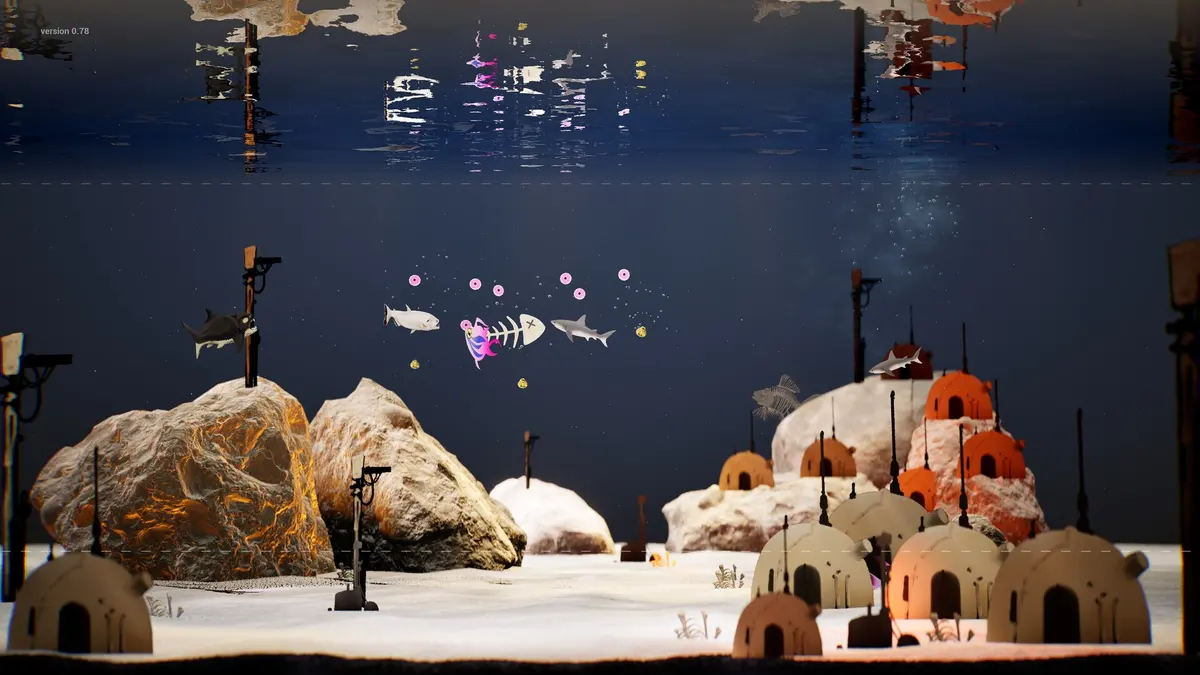
A five-minute routine that keeps a tank healthy
Open the tank, scan the fish cards for low hunger, feed small portions, vacuum leftovers, click any floating scales, check the goals panel, then close or switch to wallpaper mode. That is the whole maintenance loop. It takes less time than a coffee break and prevents the two states that make a tank annoying: hungry fish and visible debris.
FAQ
Do fish die if I stop playing?
No death state is described on the store page. Fish can be hungry or unhappy, and the tank can get dirty, but the game is marketed as cozy and has no fail condition listed.
Is it better to draw many small fish or a few large ones?
Large fish are easier to see and need less feeding overall, but they dominate the frame. A mixed tank with one centerpiece and several small fish gives the most visual variety for the least maintenance.
Can I move decorations between tanks?
The game supports moving fish between tanks, and tank parts are unlockable. Whether individual decor pieces are per-tank or global is not documented; assume per-tank until you test it.
Should I play the demo first?
Yes if you are unsure about the drawing tools. The demo is free and covers the core loop, but it is not the release build. Use it to test whether you enjoy drawing fish, not to learn launch-week balance.
More Drawquarium Guides
How levels, days old, medals, metallic shimmer, and golden fish work in Drawquarium, and what the level 25 goal actually asks for.
A Drawquarium fish list built from official screenshots and patch notes: body templates, bottom feeders, jellyfish, sharks, and golden fish.
Use Drawquarium as a focus companion: the clock, timer, journal, checklist, and wallpaper mode, plus a simple work session setup.
How the Drawquarium food editor works, which shapes to draw, how portion size affects leftovers, and why bottom feeders still need the vacuum.
A practical Drawquarium guide for the first hour: draw a fish that reads well, feed it, finish early goals, and unlock your first upgrades.
Where Drawquarium runs: Windows PC requirements, Mac and Linux answers, Steam Deck compatibility, mobile, and console availability.
Drawquarium's price has not been announced. What is confirmed, how regional pricing works, whether it is free, and how to avoid overpaying.
Drawquarium launches on November 13, 2026 for Windows on Steam. What is confirmed about the release, the trailer, wishlists, and launch day.